
My AI Tooling Stack: The March 2026 Edition
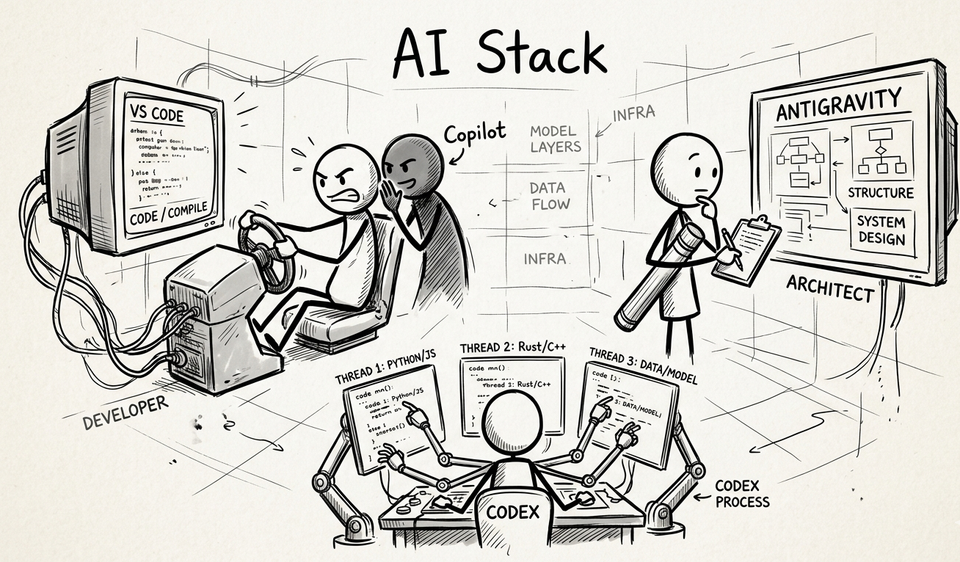
I’ve had quite a few conversations wherein I describe my findings with the AI tools I’m experimenting with. These findings will change as I alternate my default tools and bring in new ones (hence the name of this article). For now it’s worth recording these.
Development tools
Video overview of my AI Stack tooling for development
Visual Studio Code with GitHub Copilot
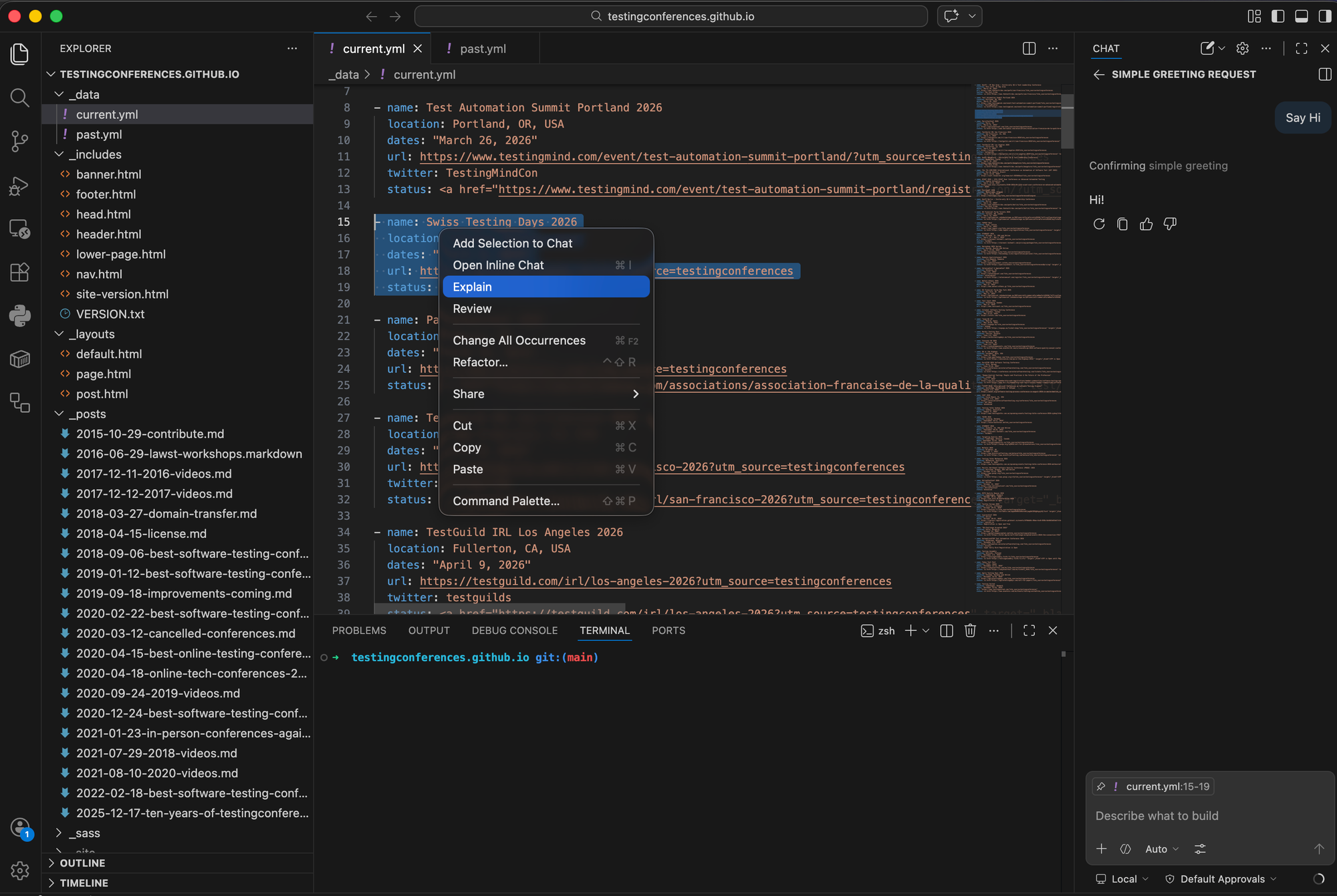
I’ve been using Visual Studio Code (VS Code for short) for a long time. I’ve built test automation frameworks and side projects in it. Fixed the occasional production bugs. It’s fair to say VS Code is my IDE of choice and my daily driver.
A few years ago when GitHub Copilot came out, I signed up because it had a seamless integration with VS Code. You install a plugin, sign into your GitHub account and go. The plugin enables a chat interface, inline changes and auto-complete. There’s also a contextual menu where if you right click on a section of code you can select ‘Explain’ and it will explain things to you in the chat.
One way to look at this setup is an IDE with AI bolted on. You are the driver and it’s literally the Copilot. Even with the latest frontier models like GPT-5.4-Codex, it doesn’t do much planning but it will attack a problem. You have to hand hold it a bit and that’s all crammed into the small real estate of the chat bar.
Unlike its competitors Copilot is really cost effective and I’d argue that’s a big part of the value proposition. $8/month gets you limited access to frontier models and unlimited access to more basic models. Also Copilot starts with a free tier so anyone can get started with it.
Antigravity by Google
Debrief / Walkthrough after Antigravity fixed some bugs.
On the surface Antigravity looks just like VS Code. It has the similar AI chat panel on the side, auto-complete and inline AI questions. Yet, it feels more put together and more interactive. It’s also powered by Gemini’s “thinking” models 3.1 Pro.
When I ask it to do something is where it shows off its differences. After giving it something to work on, the first thing it does is put together a plan and presents it in a full screen view. If I agree with the plan, I can tell it to implement it and it will carry out the plan without much input from me. Only when it needs to debug something or run a terminal command does it stop and ask.
When it’s done, it will run tests. Sometimes those tests include UI tests in which case it runs Playwright using its own versions of Chrome. Then it presents a full page overview along with screenshots and videos.
One way to look at Antigravity’s setup is you are less the driver and more the architect and reviewer. Only in an IDE.
The free tier is pretty generous but it has limits. I’ve run into those limits a few times and had to switch to an Anthropic model which is less powerful and has less planning. This also reduces the experience of using Antigravity.
The paid version looks to start at $20/month but only for individuals. I was hoping to enable it on my paid business starter subscription but that jumps to over $100/month. So while I much prefer Antigravity as an IDE to VS Code, I’m also hesitant to switch it to my daily driver for fear of hitting limits.
Codex App by OpenAI
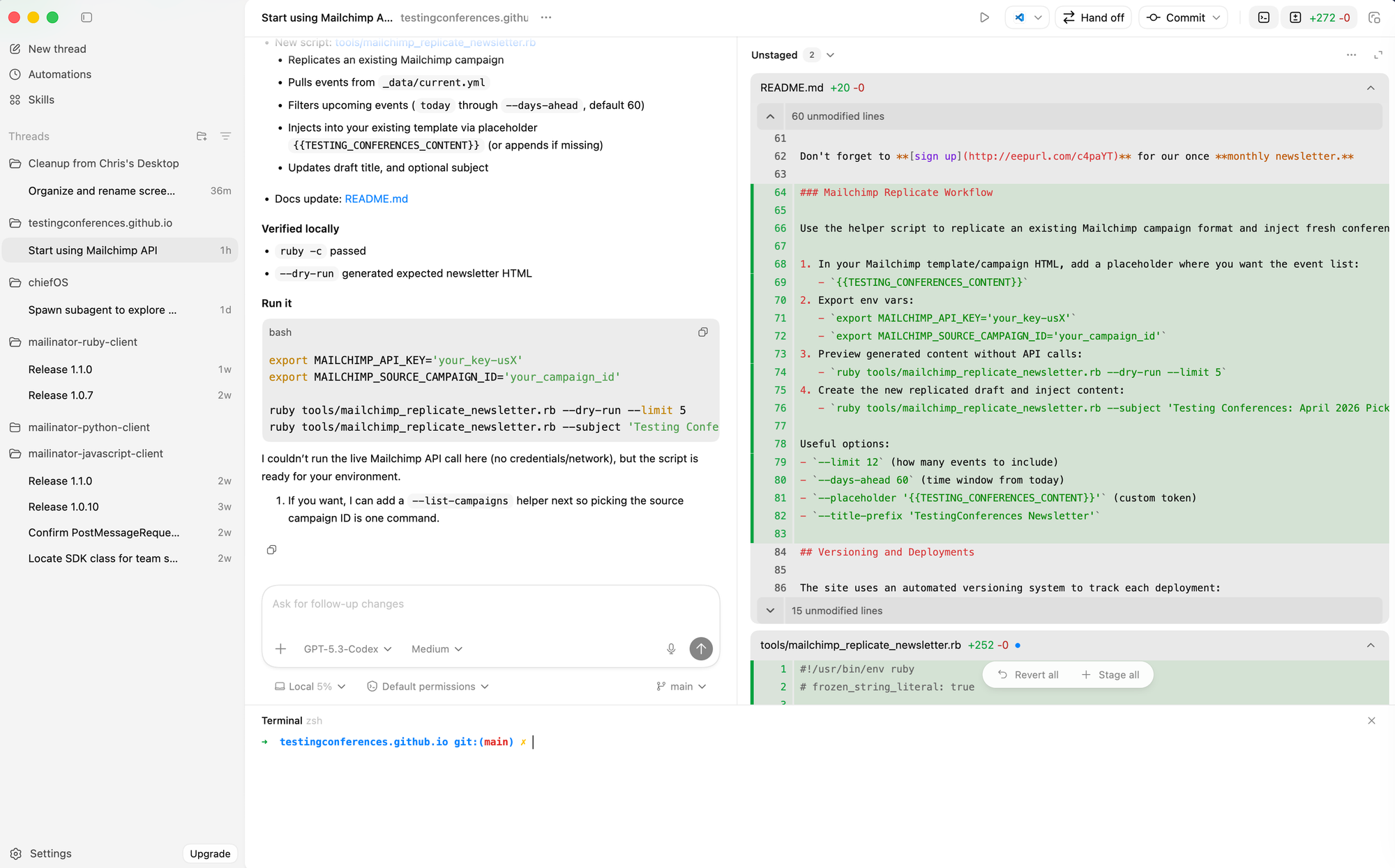
OpenAI seems to be trying to build the name Codex into a brand. They already have coding models (gpt-5.4-codex), a CLI product and now a desktop app all using the word Codex.
Codex looks and feels like ChatGPT with some important differences:
- Instead of a list of conversations on the left hand side, you have a list of “threads”.
- Threads are grouped underneath the project. Projects are directories on your computer. Some will contain code, but they don’t need to.
- There are some built-in tools. I can pull up a terminal. Each thread will show me a list of uncommitted changes. I can even switch branches.
For example: I can open TCorg’s codebase and that becomes a project. Within that project I can start 2 threads: one checking the list to make sure everything is up to date and another thread adding conferences from the the web. Each one of those threads is a conversation but they can have different branches and be working different things, but they’re all part of the same codebase.
Once I’m inside a thread, I can give a task to a subagent to go and work on its own thing by saying “spawn a subagent to check all CFP dates”. A sub-thread will emerge with that work while the original thread stays clean.
The real power comes from the codex models which recently updated from 5.2 to 5.3. Most of the problems I task it with have been handled easily or with little problems.
Most of the work I’m doing in Codex involves handling Mailinator’s SDK’s updates. I’ve got the JavaScript, Ruby and Python SDK’s open and I can go from one thread, to the next to the next asking for the same or similar updates. It’s fascinating to see how the same request can yield such different approaches and results (regardless of them being different languages).
So far I haven’t hit any limits and I’ve been using it a lot. It looks like the paid plans start at $8/month and are just your typical ChatGPT Go plans. I haven’t yet used it for the automations or “skills” but I could see those being quite beneficial as well.
Productivity Tools
Outside of the IDE, AI has started creeping into my general workflow:
Goose by Block
Goose is an open source, general purpose productivity tool. You start by hooking up your own LLM (it’s agnostic) and then you can use extensions, recipes and MCP servers to extend its capabilities to do what you want. In my case it’s using GPT-5-mini. Through my GitHub Copilot subscription, I get unlimited requests through Copilot.
Similar to Codex (or vice versa), Goose runs things through a chat interface. You can have multiple conversations in which you handle things in parallel. Goose comes as a command line version or UI version. For some reason the CLI felt slower and more cumbersome than the UI version so I switched and haven’t gone back.
My goal for Goose is to use it as my virtual Chief of Staff. I’ve already got it connected to Notion so I can add and get tasks. Next steps is having it check on my emails, calendars, etc. Maybe even having it help me keep track of the number of in progress writing drafts I have so I’ve got something pushing me to complete things! TBD on if that happens!
Handy
Handy is the newest AI based tool I’ve acquired. It’s a free, open-source voice transcription software. Download the software, download a LLM model and then when you want to talk, simply enable the translation through keyboard shortcuts.
I do journal daily and Handy makes this easier. I press some keys and start talking. Handy handles the translation to text and it works pretty well. Upside is it’s free. Downside is it’s desktop only and I like to be able to dictate on my phone.
Chatbots
This list wouldn’t be complete without listing out the chatbots I use.
90% of my Chatbot usage is in Gemini. I have a paid subscription through Google Apps which gives me higher / better model access. Early on I moved over to using Gemini because it could generate the blog hero images → the stickmen I use. Way before ChatGPT made it so you could generate images in the chat Gemini did and so i moved over.
Occasionally I’ll compare notes using ChatGPT or Perplexity. I’d say it’s 90%/9%/1% in terms of mindshare between Gemini/ChatGPT/Perplexity.
That snapshot is where I’m at today but my todo list is a mile long.
Future
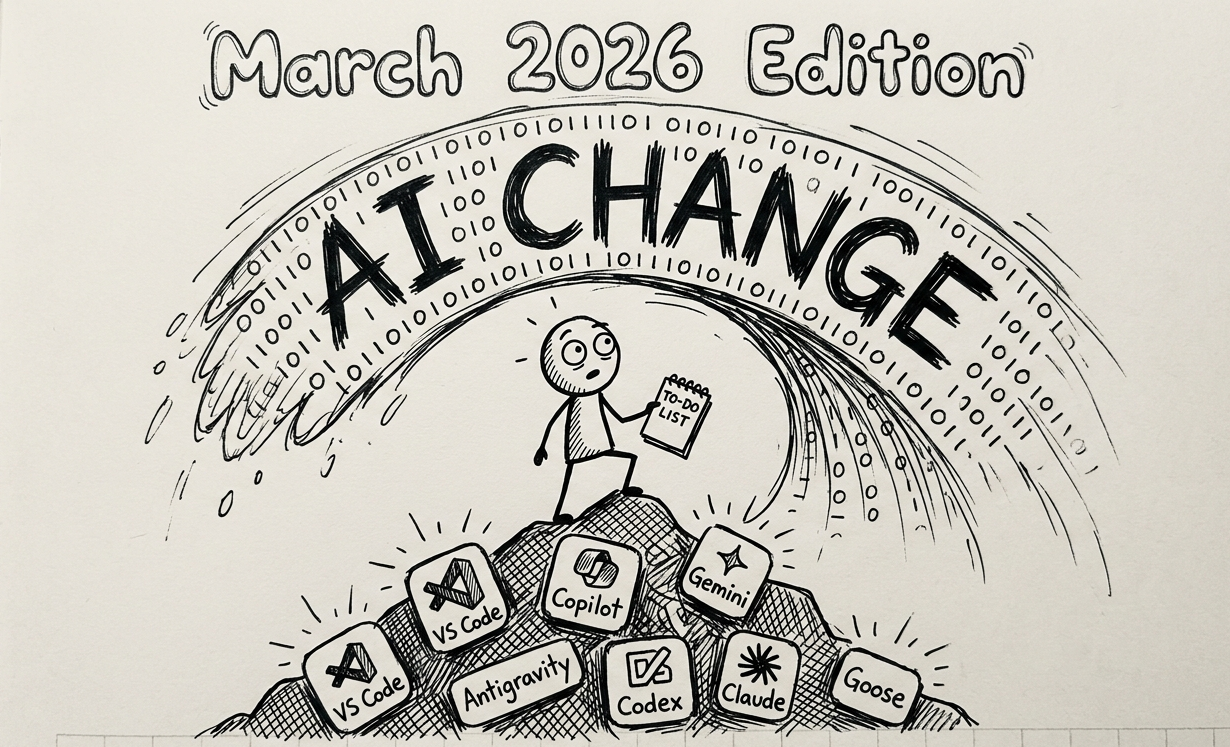
There are some pretty big gaps in terms of the tools I haven’t tried. Claude Code and Cursor are missing from this list. Everyone seems to be using Claude, so there is some pull to try it.
I expect my own pacing of learning and code output will increase as I get more comfortable with giving agents work to do. I’m already starting to tackle problems using test-driven development (where I write the tests or assertions and then let the AI implement the code).
I expect this stack will look different in six months and that’s exactly why I’m documenting this 'snapshot' now!
Member discussion